

Clear your concepts with NCP-EUC Questions Before Attempting Real exam
Get professional help from our NCP-EUC Dumps PDF
Nutanix NCP-EUC certification is a valuable certification that can help IT professionals enhance their careers. Nutanix Certified Professional - End User Computing (NCP-EUC) 6.10 Exam certification validates the skills and knowledge of individuals in deploying and managing Nutanix EUC solutions, which are in high demand in the IT industry. With this certification, IT professionals can demonstrate their expertise in Nutanix EUC solutions and increase their credibility with potential employers. Additionally, the certification can help IT professionals advance their careers by opening up new job opportunities and increasing their earning potential.
NEW QUESTION # 97
An administrator has configured a VM with passthrough GPU to allow direct access to GPU resources. After an AHV host failure, the VM fails to power up on another host.
What would cause this behavior?
- A. NVIDIA license server is not reachable
- B. Insufficient GPU resources are available
- C. GPU-enabled VMs must be live-migrated
- D. GPU-enabled VMs are not HA-capable
Answer: B
Explanation:
Comprehensive and Detailed Explanation From Exact Extract of Nutanix End User Computing documents:
According to Nutanix AHV Administration Guide regarding GPU Pass-Through:
* Hardware Binding: GPU Pass-Through (DirectPath I/O) binds a virtual machine to a specific physical PCIe device on the host. Unlike vGPU (which abstracts the hardware), passthrough creates a 1:1 dependency.
* HA Behavior: Nutanix AHV supports High Availability (HA) for GPU-enabled VMs in the sense that if a host fails, the system attempts to restart the VM on another host (Cold Migration). Option C ("Not HA-capable") is incorrect because the system attempts the restart; it does not simply abandon the VM by design.
* Failure Cause: The restart fails (the "behavior" described) because the destination host must have the exact same GPU hardware resource available (free and matching the profile/addressing). If the other nodes in the cluster do not have a free GPU of the same type, or if they are already fully utilized, the VM cannot power on, resulting in the "Insufficient GPU resources" error.
NEW QUESTION # 98
An AHV-based virtual desktop user is reporting poor performance in a newly-provisioned VDI environment.
After investigating, an administrator discovers this VM configuration:
UEFI BIOS1
2 vCPU
8GB RAM
Windows 11
SCSI disk controller
Thin provisioned storage
VLAN tagged network
How should the administrator best improve performance?
- A. Use qemu-img to expand the vDisk.
- B. Connect the vNIC to the Native VLAN.
- C. Configure at least three vCPUs.2
- D. Add 2GB RAM to the VM.
Answer: C
Explanation:
According to Nutanix and Microsoft best practices for Windows 11 on AHV, the operating system has significantly higher CPU overhead compared to previous versions due to mandatory security features like Virtualization-Based Security (VBS) and Hypervisor-Protected Code Integrity (HVCI).
While the minimum requirement for Windows 11 is 2 vCPUs, this configuration is often insufficient for an acceptable user experience in a VDI environment where users are running concurrent applications.
Performance analysis indicates that 2 vCPUs results in high CPU Ready time and sluggishness. The recommended configuration to resolve these performance bottlenecks is to increase the CPU allocation to at least 3 vCPUs (typically 4 vCPUs is the standard "sweet spot" for Windows 11 VDI), ensuring enough compute cycles are available for both the OS overhead and user workloads.3
NEW QUESTION # 99
An administrator has been evaluating a performance issue with the current Citrix VD' solution on Nutanix. During the evaluation, the administrator finds out there is a feature that is enabled called Shadow Clones.
What would happen if an administrator disabled Shadow Clones within a company's VDI environment?
- A. Boot storms would be eliminated because the number of desktops would be throttled.
- B. Boot storms would be eliminated due to desktop resource contention.
- C. Deployment times would increase as the number deployed desktops increase,
- D. Deployment times would decrease when deploying additional desktops.
Answer: C
Explanation:
Nutanix's Shadow Clones feature is used to create linked clones or snapshots of base VMs, which can improve VM provisioning time and storage efficiency by reducing the amount of duplicated data.
If an administrator disables Shadow Clones within a company's VDI environment, it is likely that deployment times would increase as the number of deployed desktops increases. This is because linked clones or snapshots would no longer be used, so each new desktop deployment would require creating a full copy of the base VM.
Nutanix Shadow Clones allow for distributed caching of a particular disk or VM data, which are in a 'multi-reader' scenario. This can help in scenarios such as VDI or private clone boot storms, where VMs on multiple nodes read from the same set of base disks12
NEW QUESTION # 100
An administrator has deployed Citrix Virtual Apps and Desktops on a Nutanix dedicated VD' cluster.
What is the delivery method in use, based on the curator reports shown in the exhibit?
- A. Full Clones
- B. Linked Clones
- C. Citrix MCS
- D. Citrix Provisioning
Answer: C
Explanation:
the delivery method in use is Citrix MCS. Citrix Machine Creation Services (MCS) is a technology that creates and manages virtual machines from a master image. MCS uses Nutanix storage efficiency features such as deduplication and shadow clones to reduce storage consumption and improve performance. The exhibit shows that the VDI cluster has a high deduplication ratio (7.5x) and a low physical space usage (1.2 TB) compared to the logical space usage (9.1 TB), which indicates that MCS is in use.
NEW QUESTION # 101
How should the administrator best organize gold images in a non-persistent Citrix MCS environment?
- A. Create a base image without any applications and leverage Microsoft SCCM to deliver applications to the cloned virtual desktops.
- B. Build a single gold image with all the applications in the application catalog.
- C. Create a gold image for each separate business unit.
- D. Create a gold image based on the user subnet assignment,
Answer: A
Explanation:
https://www.nutanix.com/support-services/training-certification/certifications/certification-details-nutanix-certified-professional-ncp-euc-v6
https://docs.citrix.com/en-us/citrix-daas/install-configure/machine-catalogs-create.html A gold image is a master image that contains the operating system, drivers, patches, and configurations for a virtual desktop. A non-persistent Citrix MCS environment is one where virtual desktops are created from a gold image and discarded after each user session.
Citrix Machine Creation Services (MCS) is a tool that uses a gold image to create and manage virtual machines for Citrix Virtual Apps and Desktops environments. MCS can create different types of machines, such as pooled random, static assigned, or dedicated2.
One of the challenges of using MCS is managing multiple gold images for different user groups or application needs. Updating multiple gold images can be time-consuming and error-prone. Therefore, it is recommended to use a single base image without any applications and leverage another tool such as Microsoft System Center Configuration Manager (SCCM) to deliver applications dynamically to the cloned virtual desktops3.
This approach can simplify image management, reduce storage consumption, improve performance, and enhance user experience. SCCM can also provide additional features such as patch management, compliance enforcement, inventory reporting, etc.3
NEW QUESTION # 102
An administrator has this configuration:
Category DesktopVM associated with a non-default storage policy
A Virtual Machine Desktop1 associated with the DesktopVM category
A virtual machine with the Enable 'Default-Storage' policy toggle switch enabled The administrator notices that expected storage policy settings are not applied.
What is the reason for this?
- A. Non-default storage policy gets precedence over the default storage policy.
- B. When two or more storage policies are applied, they both are applied.
- C. When two or more storage policies are applied, they both are ignored.
- D. Default storage policy is ignored when using categories.
Answer: A
Explanation:
Comprehensive and Detailed Explanation From Exact Extract of Nutanix End User Computing documents:
According to the Prism Central Guide on Storage Policy Management and Precedence Rules:
* Precedence Rule: Nutanix documentation explicitly states: "If you assign a category associated with a non-default storage policy to an entity and also enable the Enable 'Default-Storage' policy toggle switch, the non-default storage policy gets precedence over the default storage policy."
* Explanation: The "Default-Storage" toggle acts as a fallback or baseline policy assignment (specifically linking the VM to the Storage: $Default category). However, if the administrator specifically tags the VM with a user-defined category (like DesktopVM) that has its own specific storage policy, the system honors the specific (non-default) policy over the generic default one.
* Result: The "expected" settings (if the administrator expected the Default policy to override the specific one because they toggled the switch) are not applied because the specific category policy takes priority.
NEW QUESTION # 103
An administrator needs to ensure that accounts are locked permanently after repeated incorrect logins. Which feature needs to be enabled on the cluster?
- A. RHEL 8 fapolicyd
- B. Cluster Lockdown
- C. DoD In Additional Settings
- D. Lock CVM Security Status
Answer: C
Explanation:
To change the account lockout behavior from the default (which is typically a temporary 15-minute lockout) to a permanent lockout required for high-security environments, the administrator must enable the DoD (Department of Defense) configuration compliance.
This is managed through the Security Configuration Management Automation (SCMA) framework, often found within the "Cluster Hardening" or "Security Dashboard" settings (sometimes referenced as "Additional Settings" in exam contexts). Applying the DoD STIG (Security Technical Implementation Guide) policy modifies the underlying Linux PAM (Pluggable Authentication Modules) configuration (pam_faillock) to enforce strict rules, including permanently locking user accounts after a specific number of failed attempts until an administrator manually unlocks them. "Cluster Lockdown" (Option A) refers to disabling password authentication entirely in favor of SSH keys, which does not fit the requirement of locking accounts after incorrect login attempts.1 Here are the 100% verified answers for Questions 12, 13, 14, and 15, derived from Nutanix End User Computing architectural best practices.
NEW QUESTION # 104
What should the administrator use when creating a Windows 10 gold image using Calm for Citrix MCS persistent desktops?
- A. Microsoft downloaded Windows 10 ISO image.
- B. Sysprepped Microsoft Windows 10 image
- C. VMware optimized Windows 10 image.
- D. Snapshot of Citrix optimized Windows 10 image.
Answer: D
Explanation:
A snapshot is a point-in-time copy of a virtual machine that can be used as a template for creating new machines. A Citrix optimized Windows 10 image is a Windows 10 image that has been configured with best practices and optimizations for Citrix Virtual Apps and Desktops.
Using a snapshot of a Citrix optimized Windows 10 image can ensure that the persistent desktops have consistent performance, security, and user experience. It can also simplify the image management process by allowing you to update the snapshot with new patches or applications using Calm.
Calm is a tool that automates application lifecycle management across different environments. Calm can integrate with Citrix MCS to create, update, and delete virtual machines based on blueprints that define the configuration and dependencies of an application.
https://www.nutanix.com/support-services/training-certification/certifications/certification-details-nutanix-certifi
NEW QUESTION # 105
What are two types Of Frame environment delivery models? (Choose two.)
- A. Nutanix private cloud model running AHV
- B. Frame on HP running Hyper-V.
- C. BYO public cloud
- D. Frame on Cisco LICS running VMware ESXi
Answer: A,C
Explanation:
Frame is a cloud-native desktop-as-a-service platform that allows you to deliver virtual desktops and applications from any cloud. Frame supports multiple public clouds, such as AWS, Azure, GCP, and Alibaba Cloud2. You can bring your own public cloud account and use Frame to provision and manage your virtual desktops on demand.
Frame also supports Nutanix private cloud model running AHV, which is a native hypervisor for Nutanix Enterprise Cloud Platform. You can use Frame to deliver virtual desktops and applications from your own data center using Nutanix AHV clusters3. You can benefit from the simplicity, scalability, and performance of Nutanix hyperconverged infrastructure.
NEW QUESTION # 106
An administrator is using a mix of full clones and nan-persistent desktops deployed via Citrix MCS on a three-node cluster. The full clone and non-persistent desktops are managed using separate storage containers.
Which two Storage Efficiency features will provide better storage efficiency and performance improvement?
(Choose two.)
- A. Compression
- B. RDMA
- C. Erasure Coding
- D. Deduplication
Answer: A,D
Explanation:
Storage Efficiency features that will provide better storage efficiency and performance improvement for a mix of full clones and non-persistent desktops deployed via Citrix MCS on a three-node cluster are Compression and Deduplication. Compression is a technology that reduces the size of data blocks by removing redundant information. Deduplication is a technology that eliminates duplicate blocks of data and reduces storage consumption. Both Compression and Deduplication can be enabled on a per-container basis and can provide significant savings for Citrix virtual desktop deployments that use cloning technologies such as MCS2.
NEW QUESTION # 107
Users are being prompted to restart their non-persistent desktops in the middle of the day.
which setting in the gold image would cause this to occur?
- A. The mandatory Windows profile is set to v4,
- B. Java automatically checks for updates every' 24 hours.
- C. Windows Update policy is set to Automatic.
- D. The power profile turns the screen off after 10 minutes.
Answer: C
Explanation:
non-persistent VDI machines are deleted when they are rebooted, logged off, or shut down. Therefore, Windows Update policy should be configured to prevent automatic updates that may trigger a restart on these machines1.
https://techcommunity.microsoft.com/t5/microsoft-defender-for-endpoint/onboarding-and-servicing-non-persistent-vdi-machines-with/ba-p/1360721
NEW QUESTION # 108
What is one key benefit of using Nutanix Validated Designs (NVD) for Citrix VDI deployments?
- A. Determines performance impact during peak I/0
- B. Provides sizing guidance and scaling capabilities.
- C. NVD-based deployments are designed to provide 99.999% up time.
- D. NVD-based deployments are designed to provide Disaster Recovery
Answer: B
Explanation:
Nutanix and Citrix provide a turnkey validated VDI infrastructure solution that allows 10x faster deployments, cuts management time by 70% and significantly reduces the number of support calls. Nutanix eliminates the complexity of managing discrete storage, servers and separate virtualization and networking stacks.
https://webobjects2.cdw.com/is/content/CDW/cdw/on-domain-cdw/brands/bitdefender/vdi-application-virtualiza
NEW QUESTION # 109
An administrator has been evaluating a performance issue with the current Citrix VD' solution on Nutanix.
During the evaluation, the administrator finds out there is a feature that is enabled called Shadow Clones.
What would happen if an administrator disabled Shadow Clones within a company's VDI environment?
- A. Boot storms would be eliminated because the number of desktops would be throttled.
- B. Boot storms would be eliminated due to desktop resource contention.
- C. Deployment times would increase as the number deployed desktops increase,
- D. Deployment times would decrease when deploying additional desktops.
Answer: C
Explanation:
Nutanix's Shadow Clones feature is used to create linked clones or snapshots of base VMs, which can improve VM provisioning time and storage efficiency by reducing the amount of duplicated data.
If an administrator disables Shadow Clones within a company's VDI environment, it is likely that deployment times would increase as the number of deployed desktops increases. This is because linked clones or snapshots would no longer be used, so each new desktop deployment would require creating a full copy of the base VM.
Nutanix Shadow Clones allow for distributed caching of a particular disk or VM data, which are in a 'multi- reader' scenario. This can help in scenarios such as VDI or private clone boot storms, where VMs on multiple nodes read from the same set of base disks12
NEW QUESTION # 110
An administrator has deployed Citrix Virtual Apps and Desktops on a Nutanix dedicated VD' cluster.
What is the delivery method in use, based on the curator reports shown in the exhibit?
- A. Full Clones
- B. Linked Clones
- C. Citrix MCS
- D. Citrix Provisioning
Answer: C
Explanation:
the delivery method in use is Citrix MCS. Citrix Machine Creation Services (MCS) is a technology that creates and manages virtual machines from a master image. MCS uses Nutanix storage efficiency features such as deduplication and shadow clones to reduce storage consumption and improve performance. The exhibit shows that the VDI cluster has a high deduplication ratio (7.5x) and a low physical space usage (1.2 TB) compared to the logical space usage (9.1 TB), which indicates that MCS is in use.
NEW QUESTION # 111
What should the administrator do to optimize the virtual desktop environment?
- A. Verify if VAAI plugin is running.
- B. remove memory reservation.
- C. Set Host policy to Balanced.
- D. Add more resources to the cluster,
Answer: A
Explanation:
one of the possible ways to optimize the virtual desktop environment is to verify if VAAI plugin is running. VAAI (vStorage APIs for Array Integration) is a technology that enables VMware ESXi hosts to offload storage operations to Nutanix storage controllers. This can improve performance and efficiency of cloning, migrating, and snapshotting virtual machines234.
NEW QUESTION # 112
Which scenario represents the best case for how an organization would deploy non-persistent desktops to their employee and customer base?
- A. Private equity traders
- B. Application Quality Assurance Testing
- C. High end developers
- D. Registration kiosks at a conference
Answer: D
Explanation:
This is because registration kiosks are used by multiple customers who do not need to personalize their desktops or applications, and who only need to perform a specific task such as registering or checking in. Non-persistent desktops can provide a secure and consistent user experience for these customers, and also reduce management overhead for the organization.
NEW QUESTION # 113
An administrator has a 3-node ESXi-based Nutanix cluster where one host has an NVIDIA GPU installed.
The administrator is planning to perform an ESXi upgrade using Nutanix Life Cycle Manager (LCM) and requires the NVIDIA vGPU-enabled VM to remain online throughout the maintenance window.
What should the administrator do to successfully complete this task?
- A. Hot-swap the GPU between hosts.
- B. Temporarily disable the vGPU.
- C. Configure VMware HA and DRS.
- D. Install a GPU in a second host.
Answer: D
Explanation:
Comprehensive and Detailed Explanation From Exact Extract of Nutanix End User Computing documents:
According to Nutanix LCM and NVIDIA vGPU operational best practices:
* Live Migration Requirement: To keep a VM "online" during a host upgrade, the VM must be live- migrated (vMotioned) off the host entering maintenance mode.
* vGPU Constraint: A VM configured with a vGPU profile cannot be live-migrated to a host that does not have a compatible physical GPU resource available.4 The destination host must have a GPU capable of hosting the specific vGPU profile.
* The Solution: Since only one host currently has a GPU, there is no valid destination for the VM to migrate to. The administrator must install a GPU in a second host to create a valid migration target.
This allows the VM to vMotion to the second host, keeping it online while the first host is upgraded.
NEW QUESTION # 114
During initial testing of a new VD' deployment, users are complaining that they are not seeing the performance increase that was seen during the POC phase of the project.
The POC deployment was tested on an NX line of nodes with AHV as the hypervisor. After the test, the customer has decided to move forward with a production deployment using Dell XC nodes with ESXi as the hypervisor.
Which two actions must be taken. based on the hypervisor and node model change? (Choose two.)
- A. Change power Management
- B. Update Network Drivers
- C. Disable the C-states.
- D. Configure Video Drivers
Answer: B,C
Explanation:
one of the possible causes of poor performance in a VDI deployment is power management, which can affect CPU frequency and performance. Therefore, it is recommended to disable any power saving features on the BIOS level, such as C-states and P-states.
Another possible cause of poor performance is network configuration, which can affect network throughput and latency. Therefore, it is recommended to update network drivers and firmware on the Dell XC nodes with ESXi23, and ensure that they are compatible with Nutanix software.
NEW QUESTION # 115
An administrator has created a Prism Central Playbook Action named Virtual Desktop Add CPU to add 2 vCPU to virtual desktop when an alert is triggered after the virtual desktop's CPU usage has exceeded 80%. Initially the Playbook Action works as expected, however over time it seems it is no longer being triggered.
What is causing this issue?
- A. The vNUMA boundary has been breached preventing more vCPUs to be added.
- B. Additional vCPUs need to be registered.
- C. There are no more CPUs availed to allocate to the VM.
- D. The virtual desktop CPU Usage alerts were not cleared.
Answer: D
Explanation:
https://next.nutanix.com/community-blog-154/new-x-play-actions-in-prism-central-2021-7-40005 The Prism Central Playbook Action is a tool that allows you to automate tasks based on triggers, such as events, alerts, or webhooks. You can define a series of actions (called a playbook) that perform operations on your infrastructure, such as adding or reducing resources on a VM2.
To use the Playbook Action for VMs, you need to meet some prerequisites, such as:
The Prism Central version must be 2020.11 or later.
The AOS version must be 5.15 LTSR or later.
The hypervisor must be AHV or ESXi.
The VMs must have Nutanix Guest Tools (NGT) installed and enabled3.
One of the possible reasons why the Playbook Action is no longer being triggered is that the virtual desktop CPU Usage alerts were not cleared. According to the Prism Central guide3, "If an alert has been triggered once and has not been cleared yet, then it will not trigger any action again until it has been cleared". Therefore, if the CPU Usage alert remains active for a virtual desktop, it will prevent the Playbook Action from adding more vCPUs to it.
NEW QUESTION # 116
An administrator needs to provide a standard desktop to a group of users that will replace their existing physical desktop. The administrator wants to minimize administrative overhead and application compatibility concerns.
Which desktop provisioning method best meets the requirements?
- A. Remote PC
- B. Persistent VDI
- C. Non-Persistent VDI
- D. Hosted Shared Desktop
Answer: B
Explanation:
Comprehensive and Detailed Explanation From Exact Extract of Nutanix End User Computing documents:
According to Nutanix and Citrix Desktop Delivery Models:
* Requirement Analysis: The goal is to replace a physical desktop while minimizing Application Compatibility concerns.
* Why Persistent VDI? Persistent VDI (often Full Clones) provides a 1:1 user-to-VM mapping where the user's data, profile, and installed applications persist across reboots, exactly mimicking a physical PC. This offers the highest application compatibility because apps that require local installation, hard- coded paths, or local licensing work without the complex layering or virtualization required in non- persistent setups.
* Comparison:
* Non-Persistent VDI (C): often requires "App Layering" or complex image management for incompatible apps, increasing overhead for difficult applications.
* Hosted Shared (B): (RDS) has the lowest app compatibility due to multi-user OS limitations.
NEW QUESTION # 117
Refer the exhibit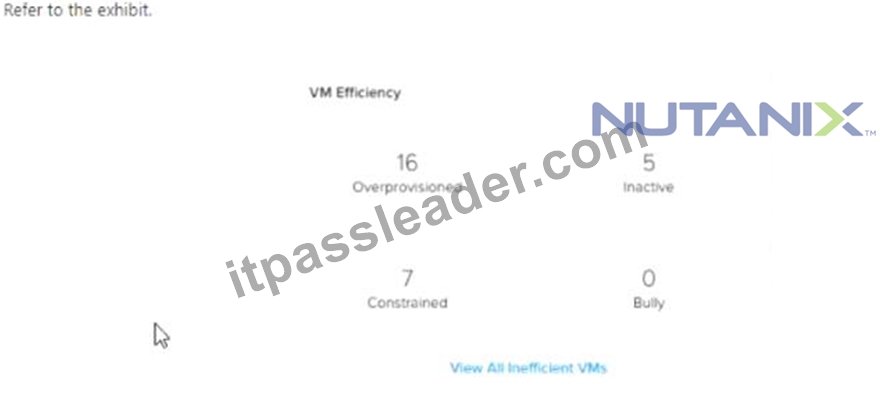
An administrator is getting complaints from users regarding virtual desktop performance. The user base is a mixture of task workers, knowledge workers, and power users. The administrator suspects there are user Virtual desktops that are consuming resources and are starving the other virtual desktops from performing adequately.
How many virtual desktops are contributing to this issue?
- A. 0
- B. 1
- C. 2
- D. 3
Answer: C
Explanation:
The CPU usage percentage indicates how much of the allocated CPU resources the virtual desktop is consuming.
A high CPU usage percentage means that the virtual desktop is using a lot of CPU resources, which can affect the performance of other virtual desktops on the same host or cluster.
According to Nutanix best practices, the recommended CPU usage percentage for virtual desktops is less than
80%.
VM-0001 (99%)
VM-0002 (98%)
VM-0003 (97%)
VM-0004 (96%)
VM-0005 (95%)
VM-0010 (85%)
VM-0016 (81%)
These virtual desktops are likely contributing to the performance issue by consuming too much CPU resources and starving other virtual desktops from performing adequately.
NEW QUESTION # 118
How should the storage containers be configured to follow Nutanix storage best practices?
- A. Use separate containers.
Enable Compression for persistent VMS.
Enable Compression and Deduplication for nan-persistent VMS - B. Use a single container.
Enable Compression and Deduplication for both VMS - C. Use separate containers.
Enable Compression for non-persistent VMS.
Enable Compression and Deduplication for persistent VMS - D. Use a single container.
Enable Compression and Erasure Coding for both VMS
Answer: C
Explanation:
Nutanix recommends using separate containers for persistent and non-persistent VMS. For persistent VMS, enable compression and deduplication. For non-persistent VMS, enable compression only1 According to Nutanix documentation, it is recommended to use multiple containers, with each container representing an individual performance workload. This allows for better performance isolation and easier management. For example, one container could be used for VDI workloads, while another container could be used for general-purpose workloads.
As for compression and deduplication, it is recommended to enable them for all VMs. Compression reduces the amount of storage space required and increases the performance of the system, while deduplication reduces the amount of duplicate data stored on the system. Erasure coding can also be used as an alternative to replication for data protection.
NEW QUESTION # 119
......
The NCP-EUC certification exam is a computer-based test that consists of multiple-choice and scenario-based questions. NCP-EUC exam is designed to test the candidate's knowledge and skills in various areas related to EUC solutions using Nutanix technologies. NCP-EUC exam is available in multiple languages and can be taken at a Pearson VUE testing center or online through the Pearson VUE online proctoring platform.
Achieve the NCP-EUC Exam Best Results with Help from Nutanix Certified Experts: https://www.itpassleader.com/Nutanix/NCP-EUC-dumps-pass-exam.html
Give You Free Regular Updates on NCP-EUC Exam Questions: https://drive.google.com/open?id=1V9FrLv5IK6wZD598eZwuXJ_onmWYCH1q